Tips
/
feb 16, 2025
GPT-6 Astra vs GPT-6.1 Sol for Business Automation
Which model fits your business? Compare GPT-6 Astra vs GPT-6.1 Sol on cost, reasoning, and workflow reliability. Find your automation fit with ZeluAI.
/
AUTHOR

Gracia Perkin
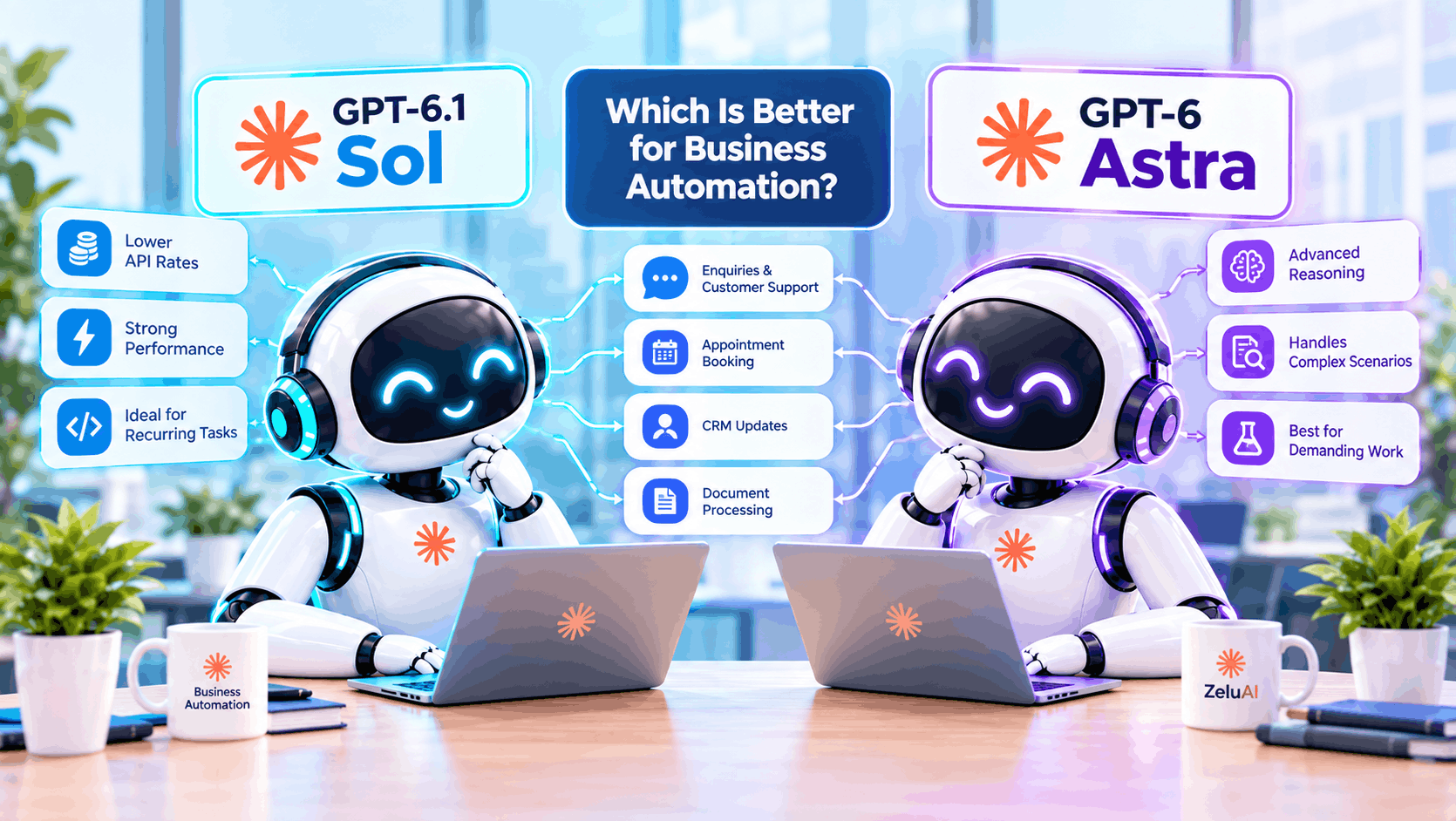
GPT-6.1 Sol is a sensible starting point for businesses testing AI automation because it offers strong capabilities at lower API rates. GPT-6 Astra is worth evaluating when a workflow requires demanding reasoning and testing shows that its results justify the additional cost.
At zeluai, we build automation around the tasks businesses need completed, from handling enquiries to booking appointments and updating customer records. Choosing the model is one part of that process; connecting it to your systems is what makes it useful.
The best AI model for business automation depends on workflow complexity, reliability, response time, and the cost of a completed task.
What Is the Difference Between GPT-6 Astra and GPT-6.1 Sol?
OpenAI positions Astra as its most capable model for demanding work and GPT-6.1 Sol as a lower-cost option offering near-Astra performance for complex coding, computer use, and professional tasks.
What Is GPT-6 Astra Designed For?
Astra supports complex reasoning, research, coding, and document creation. For business automation, it is a candidate for processes involving several decisions, conflicting information, or unusual exceptions.
Consider an enquiry requiring an agent to interpret a service policy, review account history, and decide which department should respond. That is more demanding than extracting a name and phone number.
What Is GPT-6.1 Sol Designed For?
GPT-6.1 Sol supports complex professional work at lower token prices. This makes it worth testing for recurring workflows such as processing enquiries, summarising conversations, and preparing structured information for business systems.
It is distinct from the older GPT-6 Sol. Both Astra and GPT-6.1 Sol have a 1,050,000-token context window, so choosing Astra does not automatically provide more space for input.
Which Model Fits Your Business Automation Tasks?
The right choice depends on the decisions a workflow involves and how you verify its actions. A useful comparison starts with actual business tasks.
Lead Qualification and CRM Updates
An AI agent can interpret an enquiry, identify the requested service, and prepare details for your CRM. Your integration then applies the permitted changes to the correct customer record.
Start by testing Sol against your qualification criteria. Compare Astra when enquiries involve ambiguous requirements or several competing rules.
Structured outputs help organise fields such as service type, location, and urgency, but the application must still validate them. Our guide to building AI agents explains how models, tools, and business workflows fit together.
Appointment Booking and Automated Follow-Ups
A booking workflow needs current availability, appointment durations, time zones, and confirmation rules. Neither model should invent an available slot.
For example, a caller requesting tomorrow afternoon might need a specific technician. The system must check that technician’s calendar, save the appointment, and send confirmation only after the booking succeeds.
Compare the models on those completed actions. Fluent responses alone do not prove reliable appointment scheduling.
Customer Support and Complex Exceptions
Routine support questions can be answered using an approved knowledge base. Refund disputes, conflicting account details, and unusual requests may require deeper reasoning or human review.
Evaluate whether either model recognises missing information and escalates appropriately. A more expensive model still needs clear business rules and access to accurate records.
Document Processing and Back-Office Automation
Businesses can also evaluate these models for extracting invoice details, summarising service reports, and preparing information for review. Test whether the system preserves amounts, dates, and customer identifiers accurately.
For example, an invoice workflow should flag a missing purchase order rather than guess it. Compare Astra when documents contain conflicting terms or require several sources to be reconciled.
How Do Reasoning Settings and Response Speed Affect Automation?
Model choice and reasoning effort are separate decisions. Both models support adjustable reasoning settings, allowing you to test how additional reasoning changes quality, latency, and cost.
Start with a moderate setting and compare alternatives on the same tasks. Maximum effort should earn its place through improved results; it is not automatically the best configuration.
For customer-facing workflows, measure the time until a useful response or completed action. For overnight document processing, throughput and accuracy may matter more than immediate speed. Avoid assuming that lower pricing means faster responses.
How Should You Test Astra and Sol Before Choosing?
Published benchmarks help identify models worth testing, but a coding score does not establish appointment-booking accuracy. Treat vendor evaluations as context rather than evidence that your workflow will succeed.
Run both models on representative scenarios using the same business data, tools, and acceptance criteria. Record each model’s reasoning settings so the comparison is clear.
Include straightforward enquiries, missing contact details, rescheduling requests, and cases requiring escalation. Check the saved records as well as the generated answers.
A booking passes only when the correct appointment is stored and its confirmation matches. A CRM update passes only when accurate information reaches the correct record.
Compare completion rates, response times, retries, and human correction time. These results tell you more about workflow reliability than a general benchmark alone.
Should Your Business Use Sol, Astra, or Both?
Use Sol when it meets your quality and timing requirements at an acceptable cost. Choose Astra for workflows where measured improvements justify the additional expense.
A combined approach can make sense when validated checks identify cases needing escalation. Sol might handle the initial task, while Astra reviews a complex exception.
That routing needs clear rules. Repeatedly switching models will not fix a broken calendar connection, unavailable customer data, or an unclear policy.
Some unresolved cases should go to a person. The goal is dependable task completion across the whole workflow.
How Can ZeluAI Turn the Selected Model Into a Working Automation?
ZeluAI connects AI capabilities with your business processes through custom agents, chatbots, and software integrations.
Tool calling lets a model request actions such as checking availability or creating a contact. For these models, use the Responses API for tool calling; your application executes the actions and validates the results.
The implementation should define what the agent can do, which records it can access, and when it must request help. It also needs testing and monitoring after launch.
If you are deciding how to implement the workflow, our comparison of custom AI agents and off-the-shelf tools explains the differences in workflow fit and integration. Model selection and implementation should be evaluated together.
To identify where automation would help your operations, discuss your workflow with ZeluAI. The right starting point is a defined business task with measurable results.
Frequently Asked Questions
Is GPT-6.1 Sol as Good as Astra for Business Automation?
OpenAI describes Sol as offering near-Astra performance for complex work. Whether it meets your needs depends on testing your specific workflows.
Is GPT-6.1 Sol Cheaper to Run Than Astra?
Its standard input and output token rates are lower. Total operating costs also depend on usage, retries, tools, and human review.
Can These Models Update a CRM and Book Appointments Automatically?
They can request actions through connected tools. Your application needs authorised integrations, validation, and confirmation that each action succeeded.
Does Choosing Astra Guarantee More Reliable Automation?
No. Reliability also depends on accurate data, working integrations, clear business rules, and validation of completed actions.
Do I Need the OpenAI API or a ChatGPT Subscription?
A custom integration using these API models needs API access. A ChatGPT subscription alone does not configure or fund that integration.
Model details and pricing: GPT-6.1 Sol, GPT-6 Astra, and OpenAI model selection guidance. Checked October 7, 2026.