Tips
/
feb 16, 2025
How to Build AI Agents: The Ultimate Step-by-Step Tutorial
Learn how to build AI agents from scratch with this step-by-step tutorial. Discover tools, frameworks, and expert tips for Canadian businesses.
/
AUTHOR

Gracia Perkin
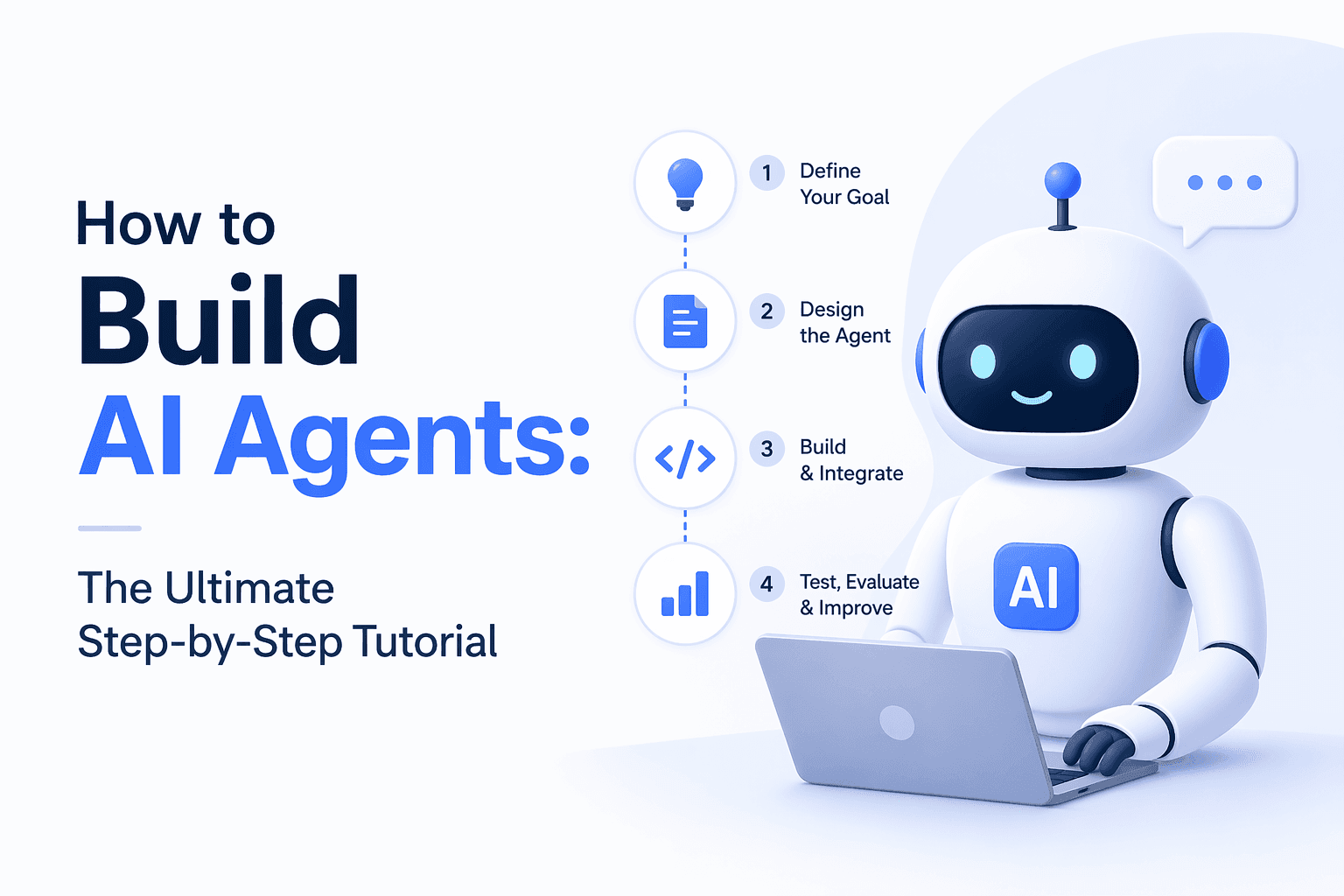
Building your own AI agent used to require a team of engineers, months of development, and a large, dedicated engineering team. In today's era, that's no longer the case.
With the right tools, frameworks, and a clear step-by-step process, business owners, marketers, and even non-technical founders across Canada can build and deploy AI agents that automate workflows, handle customer inquiries, generate leads, and operate around the clock.
This tutorial walks you through the entire process from understanding the fundamentals to deploying a working agent, with practical guidance at every step. And if you'd rather have an expert build it for you, ZeluAI specializes in custom AI automation solutions for growing businesses across Canada and the UAE.
What Is an AI Agent (and Why Should You Build One)?
Before you build anything, you need a clear picture of what you're building.
An AI agent is a software system that can perceive inputs, make decisions, take actions, and pursue a goal autonomously. It's not just a chatbot that answers questions. A real AI agent can search the web, write and execute code, update a CRM, send emails, summarize documents, and loop back on its own actions to improve results.
The business case for building one is straightforward:
Automate repetitive tasks that eat up hours every week
Handle customer queries and lead qualification 24/7
Reduce team workload without reducing output quality
Scale your business capacity without hiring additional staff
If you want to see real-world proof of what AI automation can do for a business, check out how 100+ companies integrated AI chatbots and what happened next, the results speak for themselves.
The Core Components of an AI Agent
Every AI agent, regardless of complexity, is built from the same fundamental building blocks. Understanding these before you start will save you hours of confusion.
1. The Brain (Language Model)
This is the reasoning engine, typically a large language model (LLM) like GPT-4, Claude, or Gemini. It interprets instructions, plans steps, and generates responses. The LLM doesn't store memory between sessions by default, which is why the other components matter so much.
2. Memory
Agents need memory to maintain context. There are two types:
Short-term memory — the conversation history within a single session
Long-term memory — stored summaries, user preferences, or past interactions retrieved via a database or vector store
3. Tools
Tools are what give an agent the ability to act in the real world. Common tools include:
Web search
Code execution
Email and calendar APIs
CRM connectors (HubSpot, Salesforce)
Document readers and writers
Database queries
4. The Orchestrator
This is the logic layer that decides which tools to use, in what order, and how to handle errors. Frameworks like LangChain, AutoGen, and CrewAI handle orchestration for you, so you don't have to build this from scratch.
5. The Interface
How does the agent receive instructions and deliver results? This might be a chat interface, a web form, a voice input, an API call, or a scheduled trigger (like "run every Monday at 9am").
Step-by-Step: How to Build an AI Agent
Step 1: Define the Agent's Goal and Scope
This is the most important step and the one most people skip. A vague goal produces a useless agent. A precise goal produces a powerful one.
Ask yourself:
What specific task should this agent complete?
What does success look like?
What inputs does it need, and what outputs should it produce?
Where does the task start and end?
Example of a vague goal: "Help with customer service"
Example of a precise goal: "When a customer emails with a refund request, retrieve their order from Shopify, check eligibility against our refund policy, draft a response, and flag edge cases for human review"
The more specific your goal, the more reliable and controllable your agent will be.
Step 2: Choose Your Tech Stack
Your choices here depend on your technical comfort level and budget.
For non-technical builders (no code required):
Zapier AI — connect apps and add AI decision-making with a drag-and-drop interface
Make (formerly Integromat) — powerful visual workflow builder with AI modules
Relevance AI — purpose-built for building AI agents without code
Voiceflow — ideal for conversational AI agents and voice interfaces
For developers and technical teams:
LangChain — the most popular framework for building LLM-powered agents in Python or JavaScript
AutoGen (by Microsoft) — excellent for multi-agent collaboration
CrewAI — role-based multi-agent framework, great for complex workflows
LlamaIndex — specializes in agents that work with large document collections
For businesses that want it done properly:
Working with an AI automation agency like ZeluAI means you get a custom-built agent designed around your specific workflows, integrated with your existing tools, tested before deployment, and supported after launch. This is often the smartest route for businesses where time and accuracy matter most.
Step 3: Set Up Your Language Model
If you're building with code, you'll connect to an LLM via API. Here's what that looks like at a high level using OpenAI's API:
from openai import OpenAI
client = OpenAI(api_key="your-api-key")
response = client.chat.completions.create(
model="gpt-4o",
messages=[
{"role": "system", "content": "You are a customer service agent for an e-commerce store."},
{"role": "user", "content": "I want to return my order from last Tuesday."}
]
)
print(response.choices[0].message.content)
This is your foundation. From here, you layer in memory, tools, and orchestration logic.
If you're using a no-code tool, this step is handled automatically — you simply select your model from a dropdown.
Step 4: Connect Your Tools
This is where your agent gains real-world capability. Tool connection looks different depending on your stack, but the concept is universal: you define a function, describe what it does in plain language, and let the LLM decide when to use it.
In LangChain, for example, you might define a tool like this:
from langchain.tools import Tool
def search_orders(order_id: str) -> str:
# Connect to your Shopify API and return order details
return shopify_api.get_order(order_id)
order_tool = Tool(
name="SearchOrders",
func=search_orders,
description="Use this to look up a customer's order by their order ID"
)
The LLM reads the description and knows when to invoke this function. You can add as many tools as your agent needs web search, email, calendar, Slack, databases, and more.
Step 5: Add Memory
Without memory, every conversation starts from scratch. With memory, your agent builds context over time and delivers far more useful responses.
For short-term memory, store the conversation history and pass it with every API call:
conversation_history = []
def chat(user_message):
conversation_history.append({"role": "user", "content": user_message})
response = client.chat.completions.create(
model="gpt-4o",
messages=conversation_history
)
reply = response.choices[0].message.content
conversation_history.append({"role": "assistant", "content": reply})
return reply
For long-term memory — storing facts about a user, past interactions, or business-specific knowledge — use a vector database like Pinecone, Chroma, or Weaviate. This allows the agent to retrieve relevant information from thousands of stored records in milliseconds.
Step 6: Build the Orchestration Logic
The orchestrator is the "project manager" of your agent. It decides:
What tools to use and in what order
How to handle errors or unexpected outputs
When to ask for clarification vs. proceed
When to escalate to a human
For simple agents, this logic can live in your system and prompt detailed instructions about how the agent should behave. For complex, multi-step agents, frameworks like LangChain's AgentExecutor or CrewAI's task routing handle this automatically.
A well-designed orchestration layer is what separates a reliable agent from an unpredictable one.
Step 7: Build the Interface
How will users (or systems) interact with your agent?
Common options:
Chat widget — embedded on your website, handled through tools like Voiceflow or a custom React frontend
WhatsApp or SMS — connect via Twilio or WhatsApp Business API
Voice interface — use ElevenLabs for text-to-speech and Whisper for speech-to-text
Internal dashboard — a simple web app your team uses to trigger and monitor the agent
Scheduled trigger — the agent runs automatically at set times with no user input required
ZeluAI builds AI voice agents, smart chatbots, and custom software interfaces depending on what fits your business best. Explore ZeluAI's AI automation services to see which solution matches your goals.
Step 8: Test Rigorously Before You Launch
Testing is non-negotiable. An AI agent that behaves unexpectedly in production can damage customer relationships and erode trust quickly.
Build a testing checklist:
Does the agent complete its primary task correctly?
Does it handle edge cases gracefully (unusual inputs, missing data)?
Does it know when to escalate vs. proceed?
Is it consistent across multiple runs?
Does it stay within its defined scope?
Run the agent through at least 50–100 simulated interactions before going live. Capture every failure, trace the root cause, and fix the instruction, tool logic, or prompt that caused it.
Step 9: Deploy and Monitor
Deployment is not the finish line it's the starting line. Once live, your agent needs ongoing monitoring.
Track these metrics:
Task completion rate: how often does the agent fully resolve a request?
Escalation rate: how often does it hand off to a human?
Error rate: how often does something go wrong?
Response time: is it fast enough for users?
User satisfaction: are people happy with the experience?
Set up logging from day one. Tools like LangSmith (for LangChain-based agents) or Datadog give you visibility into what the agent is doing and why.
Common Mistakes to Avoid When Building AI Agents
Even experienced developers make these errors. Knowing them in advance will save you significant time and frustration.
Vague system prompts — the agent's instructions are its foundation. Ambiguous or incomplete instructions lead to inconsistent, unreliable behaviour. Be exhaustive.
No error handling — real-world APIs fail, databases return empty results, and users send unexpected inputs. Your agent must know how to handle failure gracefully.
Ignoring latency — chains of LLM calls and tool invocations add up. A great agent that takes 30 seconds to respond is a bad user experience. Optimize for speed from the start.
Skipping human-in-the-loop design — not every task should be fully automated. Design intentional escalation paths so humans can review and override when necessary.
Under-testing edge cases — users will test your agent in ways you never anticipated. Build adversarial test cases and weird scenarios into your QA process.
Should You Build It Yourself or Work with an Expert?
Honest answer: it depends.
Build it yourself if:
You have a technical background or a developer on your team
The task is relatively simple (single-step automation, basic Q&A)
You have time to experiment, iterate, and maintain it
Work with an expert if:
Your workflow is complex or involves multiple systems
You need it done right the first time with minimal disruption
You want ongoing support, optimisation, and scaling
ZeluAI has built and deployed AI agents for 100+ businesses across Canada, the UAE, and beyond — covering industries from real estate and healthcare to SaaS and e-commerce. Their team handles everything from strategy and design to deployment and monitoring, so you can focus on running your business instead of debugging prompts.
Ready to build your AI agent the right way? Book a free consultation with ZeluAI and get a custom roadmap built around your business goals.
Real-World Results: What AI Agents Are Actually Delivering
The proof isn't theoretical. Businesses that have deployed AI agents with the right implementation partner are seeing measurable results:
A meaningful reduction in inbound support tickets handled by human agents
Faster response times: from hours to seconds
Higher lead conversion rates: AI agents qualify and follow up with leads 24/7 without missing a single inquiry
Frees up staff time: automating repetitive tasks reduces manual workload without reducing output
Final Thoughts: Your AI Agent Journey Starts Here
Building an AI agent is one of the highest-leverage investments a modern business can make. Whether you're automating customer service, lead generation, internal operations, or data workflows, the step-by-step process outlined in this guide gives you a clear path from idea to deployment.
Start with a specific goal. Choose the right tools for your technical level. Build systematically, test thoroughly, and monitor continuously. And if you want to skip the learning curve and get straight to results, ZeluAI's team of AI automation specialists is ready to build it with you.
The businesses that adopt intelligent automation today will have a decisive advantage over those that wait. Your roadmap is right here.
Take the next step: Get your free AI automation consultation with ZeluAI , no commitment required, just a clear look at what's possible for your business.
Frequently Asked Questions (FAQ)
How long does it take to build an AI agent?
A simple, single-task agent can be built and deployed in a few hours using no-code tools. A complex, multi-step agent integrated with multiple systems typically takes 2–6 weeks when built by an experienced team.
Do I need to know how to code to build an AI agent?
No. Platforms like Zapier AI, Make, Relevance AI, and Voiceflow let you build functional AI agents without writing a single line of code. For more advanced agents, Python is the most common language used.
What is the best framework for building AI agents?
LangChain is the most widely used framework for developers. For multi-agent systems, AutoGen and CrewAI are excellent choices. For no-code, Relevance AI and Voiceflow are leading platforms.
Can AI agents integrate with tools I already use?
Yes. Modern AI agents can connect with virtually any tool that has an API, including Salesforce, HubSpot, Shopify, Slack, Gmail, Google Sheets, and hundreds more.
Is my business data safe when using AI agents?
Data security depends on the platform and implementation. Look for agents hosted in Canadian data centres where possible, end-to-end encryption, and compliance with PIPEDA for Canadian businesses.
What types of tasks are AI agents best suited for?
AI agents excel at tasks that are rule-based but variable, customer support, lead qualification, appointment scheduling, document summarization, data entry, and report generation. Any task that's repetitive, multi-step, and time-consuming is a strong candidate for automation.
What's the difference between an AI agent and an AI chatbot?
A chatbot is reactive, it responds to questions. An AI agent is proactive, it plans, uses tools, executes tasks, and works toward a goal with minimal human input. Think of a chatbot as a receptionist and an AI agent as a fully capable virtual employee.