Insights
/
feb 16, 2025
Service Desk Automation: What Is It & How Does It Work?
Learn what service desk automation is, how it works step-by-step, and why it reduces IT costs by 40-70%. Includes implementation tips and real ROI examples.
/
AUTHOR

Gracia Perkin
Your IT service desk team handles 1,000+ tickets every month. Yet half of them are password resets, account unlocks, and access requests—routine tasks that don't require expertise.
Meanwhile, your agents spend 25-30% of their day on administrative work instead of solving complex problems. This inefficiency costs money, frustrates employees waiting for responses, and burns out your best people.
This is where service desk automation comes in. By intelligently automating repetitive tasks, organizations are reducing response times from hours to minutes, cutting operational costs by 40-70%, and freeing IT professionals to focus on strategic work. At ZeluAI, we've seen how AI-powered softwares transforms helpdesk operations—and we want to show you exactly how it works.
What Is Service Desk Automation?
Service desk automation is the use of technology including AI, machine learning, and workflow rules to automatically handle routine IT support tasks without manual human intervention. This includes ticket creation, categorization, routing, and resolution of common issues.
Unlike traditional helpdesk systems where agents manually process tickets at each step, automated service desks handle high-volume, repetitive work intelligently while escalating complex issues to human experts. The system learns from each interaction, improving accuracy and decision-making over time.
How it differs from manual help desk support: In a traditional setup, an agent reads each ticket, manually assigns a category, decides which team should handle it, and updates the customer. This takes time and introduces human error.
An automated agents does all of this in seconds categorizing tickets with 98-99% accuracy, routing them to the right expert based on intelligent rules, and often resolving the issue without any agent involvement.
The role of AI in automation: Not all service desk automation requires AI. Basic automation uses predefined rules (if this, then do that). Modern service desk automation layers AI on top, enabling smart decision-making, understanding context, and learning from past tickets. This combination of rules and AI delivers the fastest, most intelligent results.
How Does Service Desk Automation Actually Work?
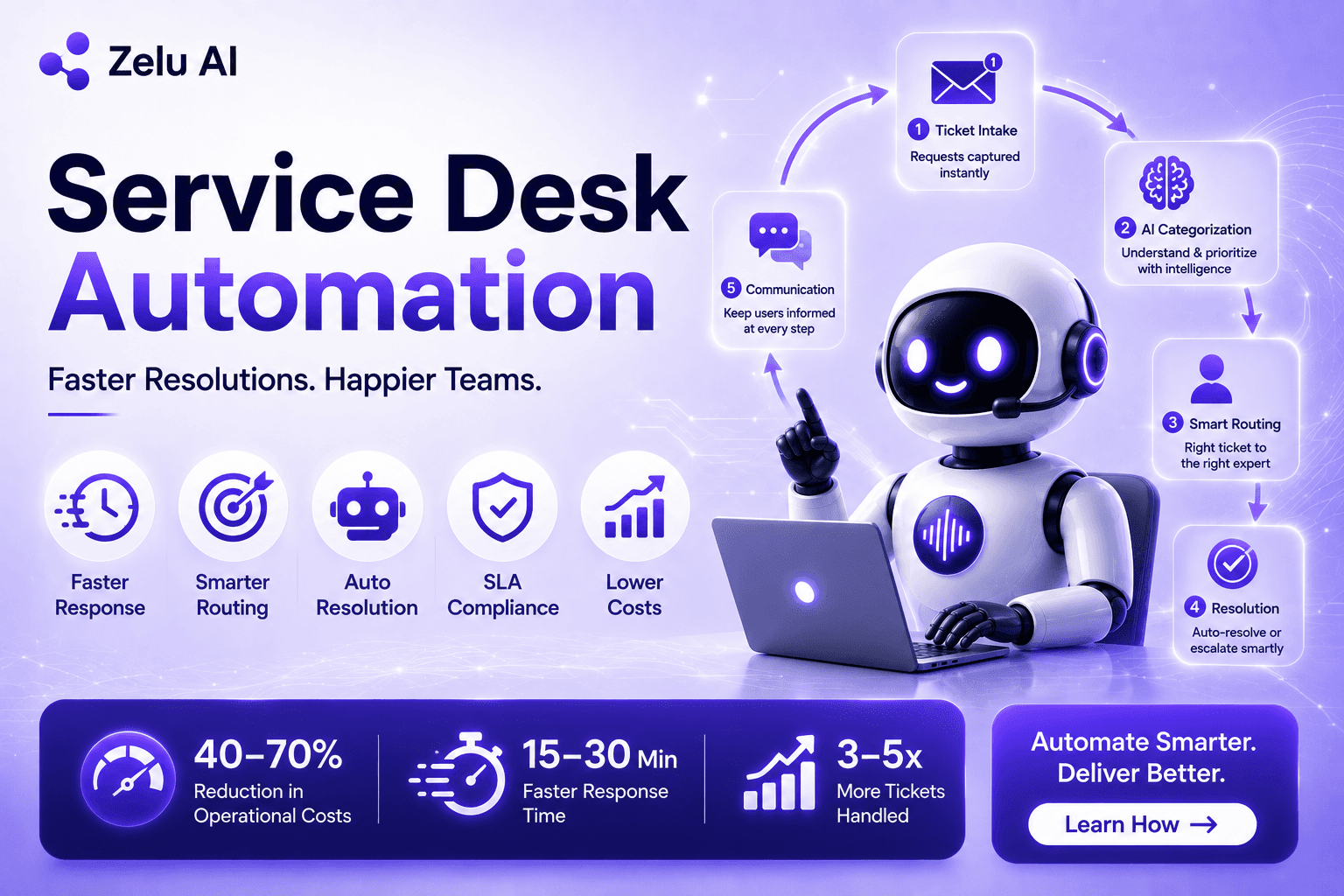
Service desk automation follows a logical process from the moment a request arrives until it's resolved. Here's the step-by-step flow:
Ticket intake happens automatically: When an employee emails "I can't reset my password," the system automatically creates a ticket, extracts the employee's name and email, and logs all relevant context without an agent reading the message first. This works across multiple channels: email, web forms, chat, Slack, or any portal your organization uses.
Categorization happens with intelligence: The system reads the ticket content and determines what type of request it is (incident, service request, or change). It identifies the category (password reset, access request, hardware issue), assesses priority, and flags urgency based on the content and the user's profile.
A database performance issue is instantly marked as critical; a routine software request is marked routine. Natural language processing understands varied language, so "My email is down" and "I can't send messages" are both recognized as the same issue.
Smart routing ensures the right person gets it: Tickets are automatically routed based on category, skill level, and team workload. A database issue goes to the database team, not the helpdesk. An urgent ticket skips the queue and goes to a senior engineer.
The system distributes work evenly across available agents so no one is overwhelmed. If an agent is at capacity, the system routes to the next available person with the right skills.
Resolution can be automatic or escalate smartly: Simple tasks like password resets are resolved automatically—the system resets the password, confirms the user's identity, and closes the ticket in 90 seconds.
More complex issues immediately escalate to humans with full context about what the user tried and what the issue is. This means agents don't waste time gathering information; they jump straight to solving the problem.
SLA timers track deadlines automatically: Once a ticket is created, SLA (Service Level Agreement) timers start automatically. If a P1 incident hasn't been touched in 2 hours, management gets an alert. At 3 hours 45 minutes, it escalates to leadership. No manual tracking, no missed deadlines, no human fatigue affecting judgment.
Communication happens proactively: When a ticket is created, the user gets instant confirmation. When assigned, they get notified. When resolved, they get a message. When closed, a satisfaction survey is sent automatically. The user always knows the status without asking.
What Are the Key Benefits of Service Desk Automation?
Speed is the most obvious benefit: Response time drops from 4-8 hours to 15-30 minutes. Tier 0 tasks like password resets are resolved in 90 seconds. One organization we've seen went from handling 500 tickets per month with their existing team to handling 2,500 tickets per month same size team, same budget, 5x capacity.
Accuracy improves dramatically: Manual ticket categorization achieves 85-90% accuracy. Automated categorization achieves 98-99% accuracy. This means fewer tickets are routed to the wrong team, fewer reassignments, and faster resolution. One enterprise saw wrong-routing drop from 25% of tickets to 2% after automation.
SLA compliance improves by 35%: Because automation applies the same logic to every ticket regardless of time of day or agent workload, SLA timelines are met consistently. There's no fatigue, no guesswork, no tickets slipping through the cracks.
Employee experience transforms: Employees get faster help. Instead of waiting 8 hours for a response, they get instant password resets or instant knowledge suggestions. Satisfaction scores increase because speed matters more than anything else to frustrated users.
What Gets Automated and What Doesn't?
Service desk automation excels at repetitive, predictable work: password resets, account unlocks, access requests, status inquiries, simple FAQs, and routine approvals. These are high-volume, rule-based tasks that automation was designed for.
What still requires humans are complex technical troubleshooting, non-standard system issues, security-sensitive requests, policy exceptions, and strategic planning. These tasks require judgment, experience, and human creativity.
Automation doesn't replace these; it frees your team from the administrative noise so they can focus here.
The key insight: automation handles 60-70% of your tickets, freeing your best people for the remaining 30% that actually need expertise.
How Do You Get Started with Service Desk Automation?
Start by identifying your top time-consuming processes. Which ticket types appear most often? Which take the longest to resolve? Focus your automation effort on high-volume, repetitive work first.
Next, select a platform that works with your existing system. Most ITSM platforms (ServiceNow, Jira, Freshservice) have automation built in. Specialized platform like from ZeluAI advanced AI on top. The key is choosing something your team can configure without extensive coding.
Then pilot automation on one simple process—password resets are the easiest win. Measure results, celebrate success, and expand to the next process. This approach avoids overwhelming your team and delivers quick wins that justify the investment.
Finally, train your team to work with automation, not against it. Automation is a tool that makes their jobs easier, not a replacement for their expertise. Most teams adapt within weeks once they see results.
The Bottom Line
Service desk automation isn't a future state—it's standard practice for modern IT organizations. Those without it struggle with backlogs, SLA breaches, and burnout. Those with it deliver better service with smaller teams and lower costs.
If your service desk is manually processing tickets, you're leaving 40-70% cost savings on the table. If you're struggling to meet SLAs, automation removes human error and fatigue. If your team is burned out, automation frees them for meaningful work.
Ready to transform your IT service desk? ZeluAI specializes in AI-powered automation services that works with your existing systems. Whether you need intelligent ticket routing, self-service deflection, or end-to-end automation, we help IT organizations deliver better service faster.
The organizations winning in today's world aren't the ones with the biggest IT teams—they're the ones automating intelligently. Start with one process, measure the results, and scale from there.
FAQs
How long does it typically take to implement service desk automation?
Most organizations see their first automation working in 2-4 weeks; full implementation across all processes takes 3-6 months depending on complexity and team readiness.
Does service desk automation work with our existing helpdesk system?
Yes, automation integrates with popular platforms like ServiceNow, Jira, Freshservice, Zendesk, and most ITSM tools without requiring replacement of your current system.
What happens if the automation makes a mistake or misroutes a ticket?
Mistakes are rare (1-2% error rate with AI), and the system learns from corrections; human review is always applied to critical/security-sensitive escalations.
Is service desk automation only for large enterprises, or can small IT teams benefit?
Any size team benefits small teams use automation to handle 3-5x more tickets; large enterprises use it for SLA compliance and cost reduction at scale.
How secure is automated ticket handling for sensitive issues like passwords or security incidents?
Automation follows enterprise security standards; sensitive data is encrypted, audit trails are maintained, and security-critical tickets are flagged for human review before automation acts.